


SelfCare portal
Manage the GO toll for your vehicles
The SelfCare portal is your personal access to the GO toll. It allows you to manage the toll for your own vehicle or the entire fleet independently online. For HGVs, buses or motorhomes with over 3.5 t maximum technically permissible laden mass. Simple, free of charge, 24 hours a day. Conveniently from home or the office.
SelfCare portal
Here's how to register in the SelfCare portal and take advantage of the many benefits.
Here are your advantages in the SelfCare portal
Informations
In the vehicle list, you will find all the important information about your vehicles all at a glance.
Here, you can manage your vehicle or your entire fleet yourself. And you can carry out different actions for a vehicle – sometimes even for several vehicles at the same time.
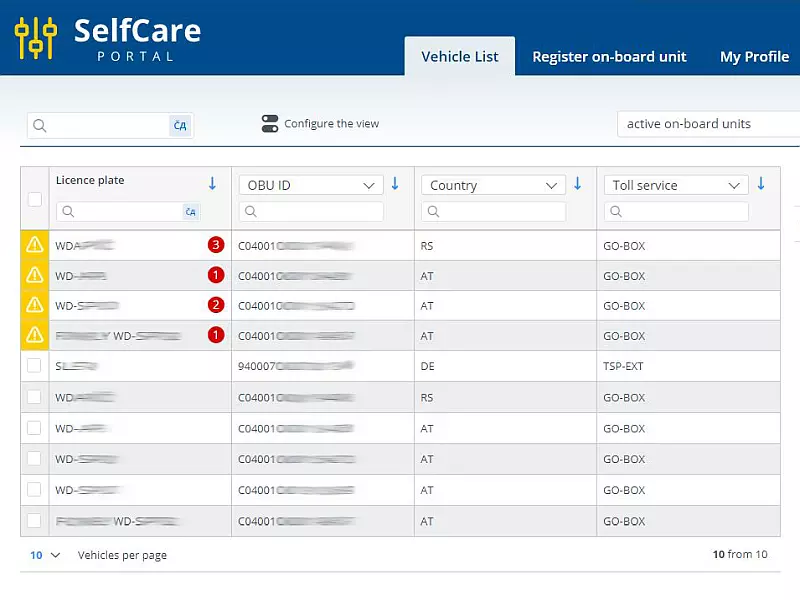
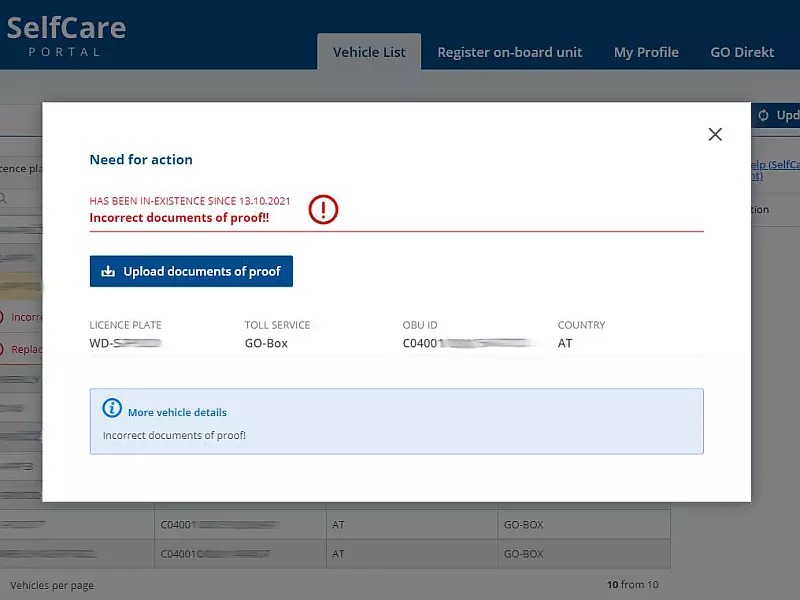
In the SelfCare portal, you can see whether action is required for one of your vehicles.
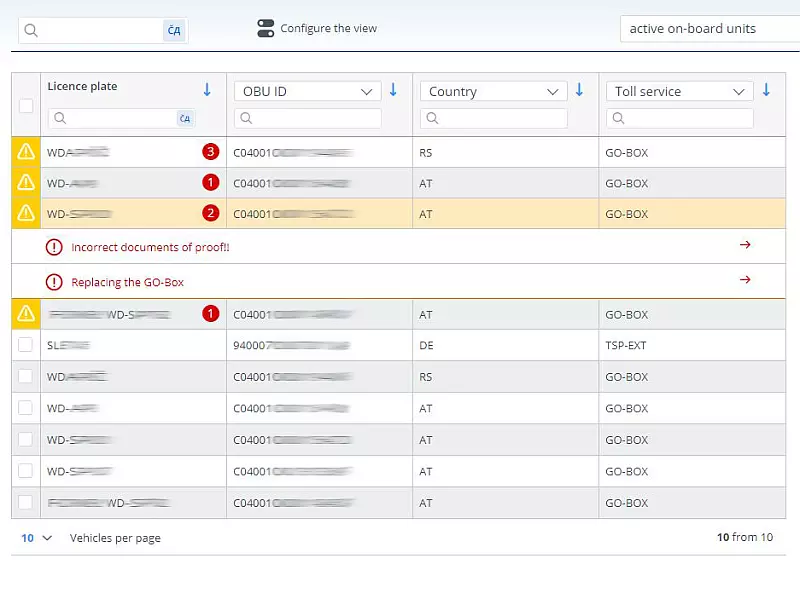
Vehicles that require action are marked with a yellow sign and are always listed at the top of the vehicle list. When you click the message, an information window appears with the appropriate advice on what to do.
Be sure to take note of the required action in order to avoid demands for substitute tolls.
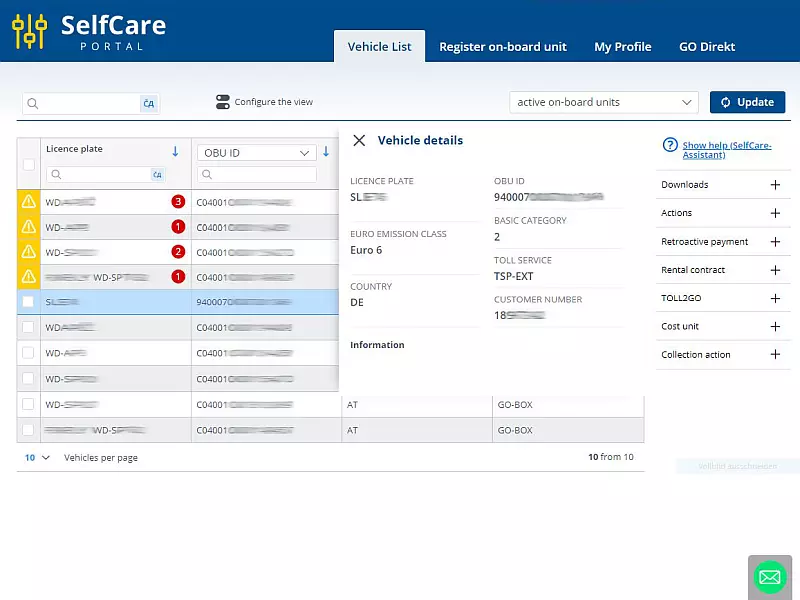
Click a vehicle in the vehicle list to display all vehicle details: vehicle registration number, payment procedure, OBU ID, OBU expiry date, basic category, rate-related features, customer number, etc.
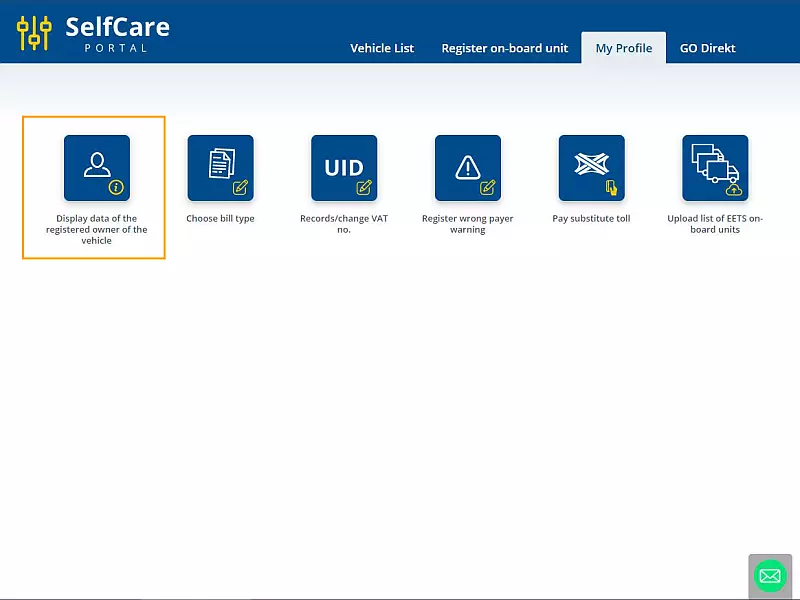
Under the “My Profile” menu item, you can view and change your vehicle owner data.
The itemised toll information sheet shows the toll sections driven and the costs incurred.
You can access the individual service overview from the vehicle list. Also for several vehicles at the same time.
An itemised toll information sheet is not an invoice; it is for information purposes only.
Itemised toll information sheet
In the video, we show you how to easily download your itemised toll information via the SelfCare portal.
If you use our payment service GO Direkt, you can also display your invoices under the “GO Direkt” menu item. Alternatively, you can save the desired invoice for the agreed billing period on your computer.
GO Direct invoice in the SelfCare portal
Do you use our GO Direct payment service to pay Austrian tolls? In this video, we show you how you can easily and conveniently download your GO Direct invoice via the SelfCare portal.
Services
Certain rate-relevant characteristics (CO₂ emission class, EURO emission class) must be evidenced by means of suitable verification documents.
You can upload the required verification documents directly to the SelfCare portal (PDF, JPG or TIF). For several vehicles, you can use the “Collective action” feature.
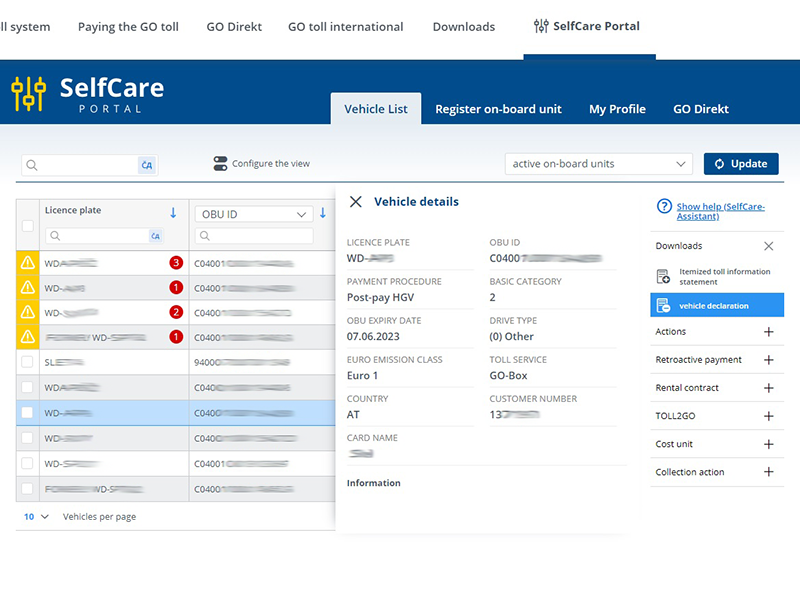
When you pick up a new GO-Box at a GO point of sale, you will receive supporting documents, including a vehicle declaration with the stored vehicle data. Take the vehicle declaration with you on every journey.
You can download the vehicle declaration at any time from the SelfCare portal (“Downloads”).
If you have only partially paid the GO toll (number of axles or rate-related features incorrectly set), you must pay the toll retroactively. You can do this within 96 hours directly in the SelfCare portal.
Using the individual service overview (see above), you can check in advance for which period and for which route you need to make an additional payment.
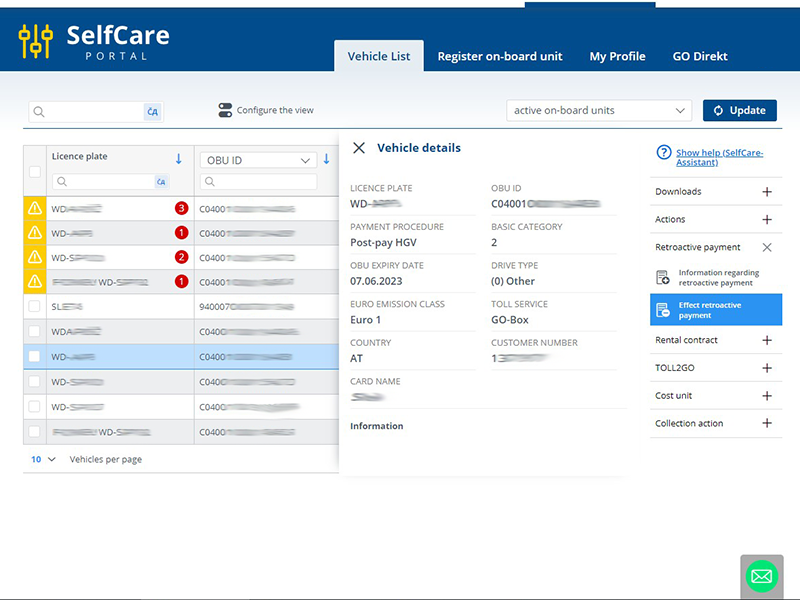
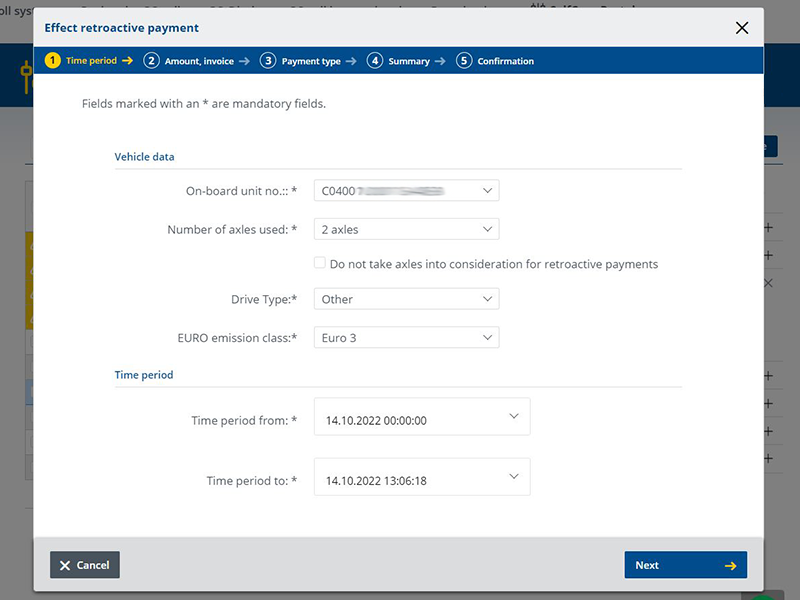
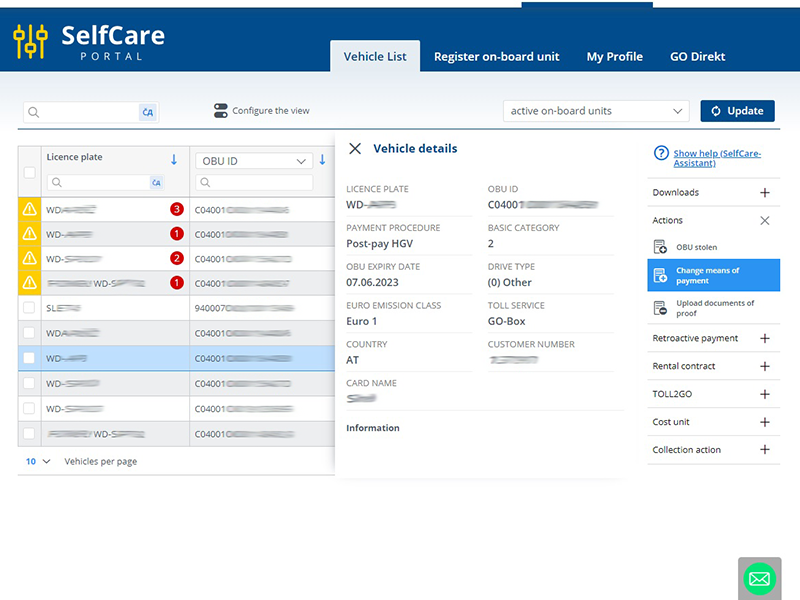
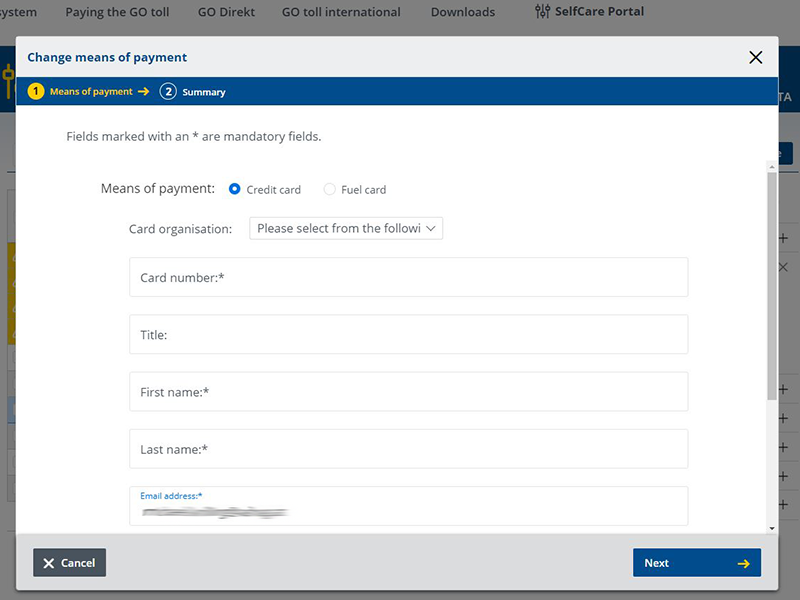
You can see your current payment data in the vehicle details (see above).
If you want to update or change the payment method for your on-board unit, select the relevant vehicle in the vehicle list and save your new payment method there (“Change payment method”).
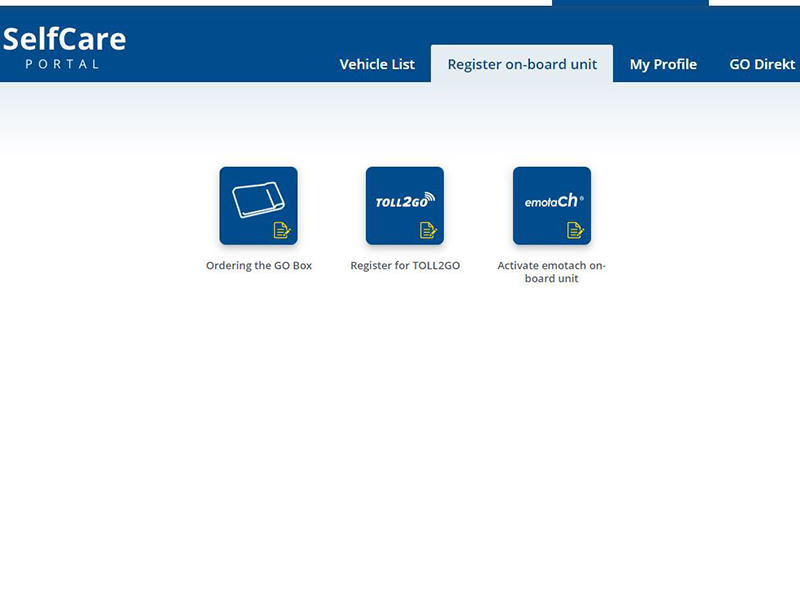
Under the “Register on-board unit” menu item, you can register other on-board units for the GO toll system (GO-Box, Toll Collect).
- You can obtain a GO-Box from any GO point of sale. It is even easier with a collection code (“Order GO-Box”). You can only order a GO-Box in the SelfCare portal if you already have an active GO-Box or use GO Direkt.
- Register your Toll Collect on-board unit for the GO toll system by clicking the “Register for TOLL2GO” button. After successful verification and activation, you will receive a confirmation.
Don't have an on-board unit yet?
It doesn't matter. If you do not yet have an on-board unit registered for the GO toll system and therefore do not yet have access to the SelfCare portal, you have the following options on the SelfCare portal homepage:
Become a GO Direkt customer! Your advantage as a GO Direkt customer: You will either receive a collection code for a GO-Box preset for you at our GO points of sale or we will send you the GO-Box by post. Simply use the “Become a GO Direkt customer” button.
Of course, you can also pick up a GO-Box as usual at one of our GO points of sale.
You can register your Toll Collect on-board unit by clicking the "Register for TOLL2GO" button. You will only receive the access data for the SelfCare portal once we have confirmed successful registration.
By the way: Here's how to deregister your on-board units from the GO toll system
- Deregister your GO-Box from the GO toll system by handing it in at a GO point of sale or sending it back to us. Disable the GO-Box in the SelfCare portal before you send it back to us to avoid toll collections. In the vehicle list, find the GO-Box for the licence plate number you want to disable. Click the licence plate number and select ‘Returning your GO Box’ in the action menu.
- Your Toll Collect on-board unit: In the SelfCare portal, select the vehicle in the vehicle list and click “Deregister TOLL2GO” in the menu on the right.
The notice in case of wrong toll payment is a free service provided by ASFINAG.
The notice in case of wrong toll payment informs you by e-mail if the number of axles on one or more of your on-board units might have been or might be set too low.
You can also check which number of axles you have set via the individual service overview (see above). If you have paid insufficient toll because the number of axles was set too low, you can pay the remaining toll by clicking “Make additional payment” (see above).
Registration for notice in case of wrong toll payment
Are you driving in Austria with a toll-liable vehicle over 3.5 t and have set too few axles on your vehicle device? In the video, we show you how to sign up for the free “registration for notice in case of wrong toll payment” service. It helps you always pay the correct toll amount.
If you want to set an action for several vehicles, select the desired vehicles in the vehicle list on the left. In the display on the right, click the action you want to perform.
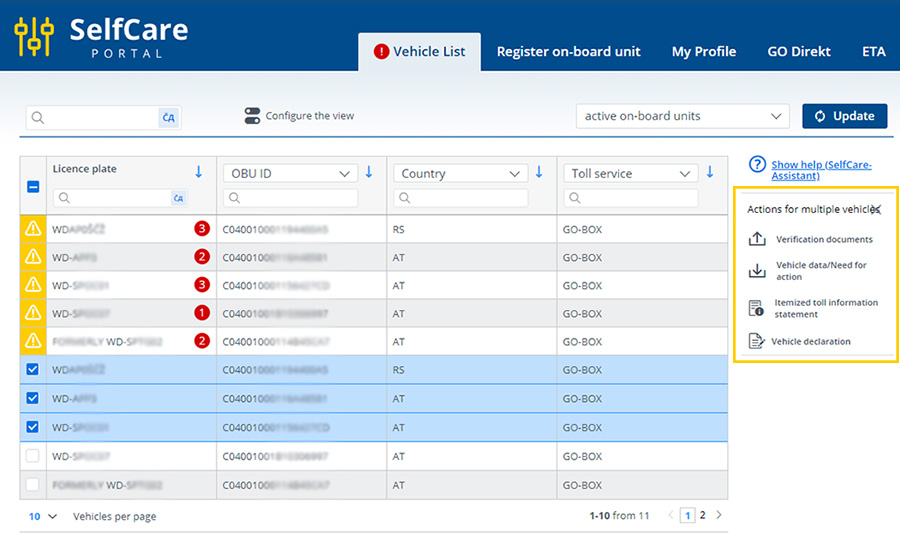
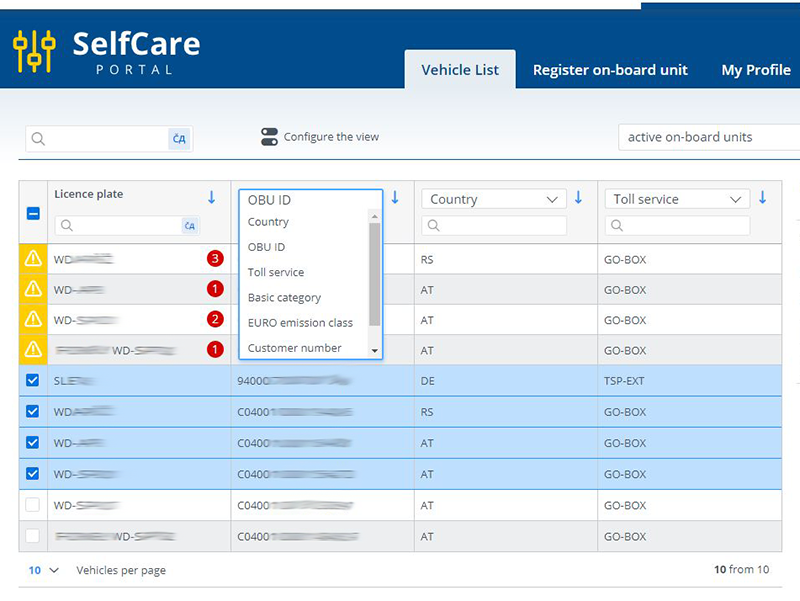
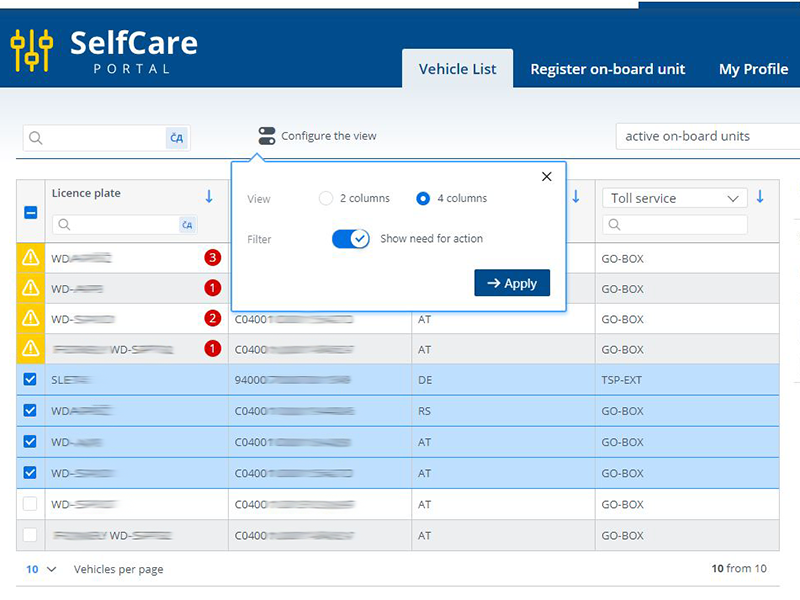
You can customise the vehicle list as desired.
For example, you can change the order of the columns (OBU ID, basic category, EURO emission class, etc.). However, the licence plate number is always in the first column.
You can choose between 2 and 4 columns for the overview.